
Key Takeaways
- Home buying apps in 2026 offer features to help you search, organize, and stay informed throughout your buying journey.
- Understanding each app’s tools and limitations helps you choose the best resources for your home buying needs.
If you’re planning to buy a house in 2026, you’ll find the process is evolving fast. The latest generation of house hunting apps make it easier to browse listings, set your budget, and navigate each step at your own pace. But with so many options, knowing which tools to try can save you time and make your search smoother.
Why Use Apps to Buy a House?
Convenience of Home Search Apps
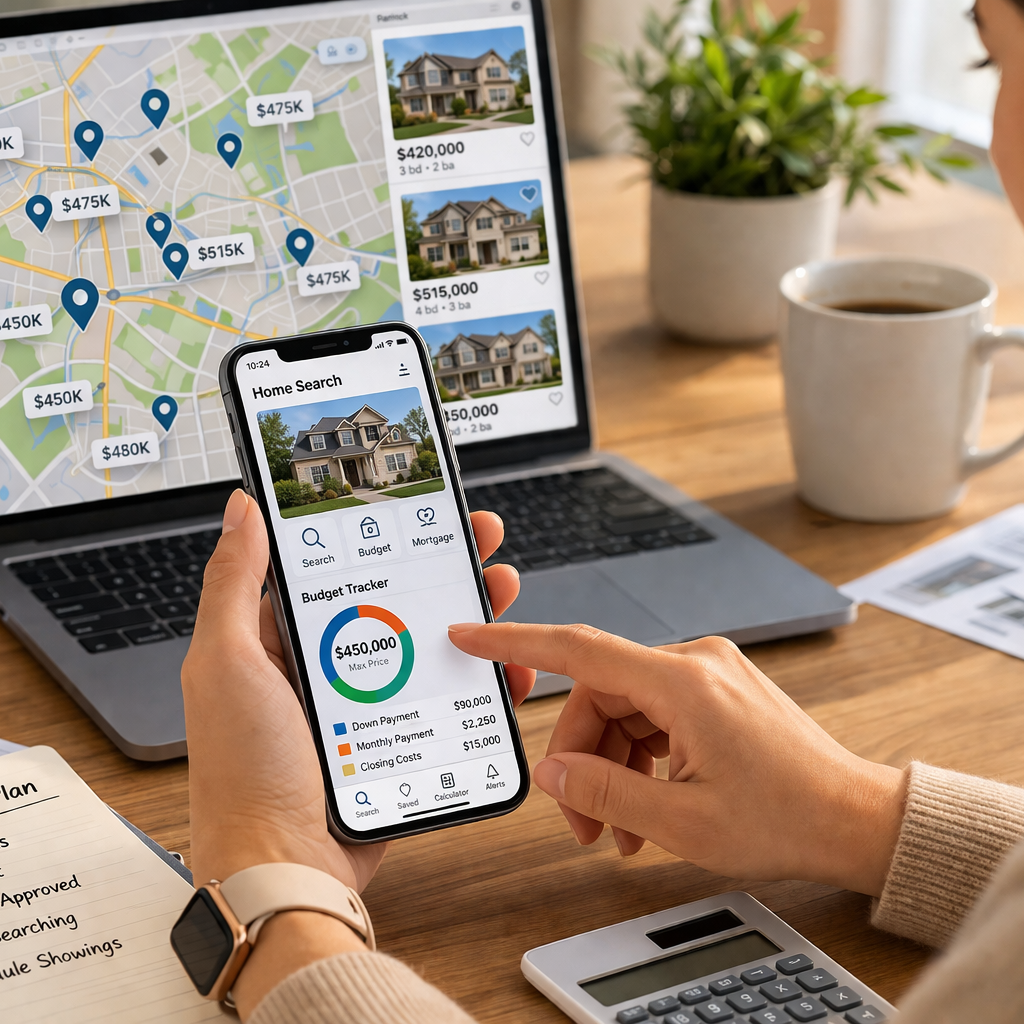
Mobile apps now bring property listings, local info, and market trends right to your fingertips. You can view houses, condos, and townhomes anytime—without waiting for open houses or sifting through countless websites. This convenience speeds up your search and helps you keep tabs on new listings as soon as they hit the market.
Organizing Steps in the Buying Process
Home buying isn’t just about finding the right property. You have to line up financing, compare neighborhoods, track appointments, and sign documents. Apps streamline these tasks into one place, so you can focus more on decision-making and less on paperwork or missed deadlines.
What Features Should Home Buying Apps Have?
Essential Search and Filter Tools
Look for apps that let you tailor your search with filters for price, location, home type, and amenities. Map views, saved search options, and real-time alerts keep your experience focused and efficient.
Mortgage Calculators and Budgeting
Being able to estimate monthly payments, down payments, and closing costs helps you shop within your budget. Built-in calculators allow you to adjust assumptions and see the impact on your finances instantly.
Scheduling Open House Visits
Many apps now let you book open house tours or private showings directly from your phone. Calendar integration and reminders make it easy to coordinate with your schedule.
Are Home Search Apps Secure?
Data Protection Basics
Security is a top concern when entering personal and financial information. Leading home buying apps follow industry standards by encrypting your data, requiring account authentication, and avoiding unnecessary data sharing.
Privacy Tips for Homebuyers
Use strong, unique passwords and only share sensitive information with trusted parties. Make sure the app is from a reputable provider and check for privacy notices that explain how your information is used and protected.
How Do Home Buying Apps Work?
Creating User Profiles
You start by setting up a profile with preferences like preferred locations, price range, and home features. Some apps save your progress and remember your favorite listings for easy access.
Connecting With Agents or Advisors
Most home buying apps offer ways to connect with licensed real estate agents or advisors for expert guidance. Messaging or video chat functions allow you to ask questions or schedule property tours safely and efficiently.
1. House Hunter: User-Friendly Search
Key Features
House Hunter offers advanced search filters, photo galleries, and map-based browsing. Real-time alerts notify you when homes that match your criteria become available or have price changes.
Who It’s Best For
If you’re new to buying a home or want an intuitive platform that’s easy to navigate, this app provides a great all-in-one experience.
2. Mortgage Helper: Payment Calculators
Budget Planning Tools
Mortgage Helper helps you crunch the numbers on affordability. With customizable calculators for monthly payments, down payments, and rates, you can plan realistically for your purchase.
Loan Estimate Functions
The app gives estimates based on standard mortgage guidelines, helping you compare scenarios. Remember, these are educational tools—they don’t guarantee specific rates or approval.
3. LocationScout: Exploring Neighborhoods
Maps and Local Info
LocationScout offers interactive maps, photos, and street-level views to help you get a feel for different areas. Data on commuting times and local businesses is included.
Evaluating Area Amenities
See ratings for schools, walkability, and amenities like parks and shops so you can narrow your search to communities that fit your lifestyle.
4. SecureHome: Privacy-Focused House Search
Security Features
SecureHome prioritizes protecting your personal details. Multi-factor authentication, encrypted messaging, and limited data sharing help safeguard your information.
Keeping Your Data Safe
The app shows clear privacy policies and allows you to manage or delete your account information with ease.
5. OpenHouse Organizer
Scheduling Tours Digitally
This app lets you browse available open houses, RSVP, and instantly add viewings to your schedule. You can switch easily between properties and manage viewing times.
Keeping Track of Appointments
Reminders and calendar sync help you avoid double-booking or missing key visits during your busy home search.
6. CheckList Manager: Track Your Steps
Custom Checklists
CheckList Manager helps you create step-by-step plans, from pre-approval to closing. Templates and editable lists cover tasks like gathering documents or final walk-throughs.
Notifications and Reminders
You’ll receive helpful reminders for deadlines, appointments, and required paperwork, so nothing falls through the cracks.
7. DocuSign Home: Managing Paperwork
Digitally Signing Agreements
DocuSign Home allows you to review and sign purchase agreements or disclosures securely from your device. This cuts down on delays and helps you move forward with confidence.
Secure Document Storage
Documents you sign are encrypted and stored in the app, making it easy to find them later without paper clutter.
8. Real Estate Glossary: Learning Terms
Definitions for Common Terms
If you’re unfamiliar with real estate jargon, this app offers clear definitions for terms like “escrow,” “contingency,” or “title search.”
In-App Guides for Buyers
Step-by-step guides explain the buying process with plain language, boosting your confidence as you move through each stage.
9. Neighborhood Explorer: Compare Communities
Community Data and Reviews
Neighborhood Explorer provides local data, resident reviews, and trends on things like traffic and shopping. This helps you compare several areas side-by-side before deciding.
School and Safety Features
Find ratings and reports on local schools, crime statistics, and neighborhood safety so you can make informed choices for your family.
10. First-Timer Guide: For New Buyers
Step-By-Step Digital Guidance
First-Timer Guide was designed for people purchasing a home for the first time. It breaks down the process into clear checkpoints and provides actionable advice at each stage.
Mistake Avoidance Tips
Along the way, the app highlights common pitfalls—like skipping inspections or not budgeting for closing costs—to help you avoid costly mistakes.
Which App Is Right for Your Needs?
Personal Preferences and Goals
Every homebuyer is unique. Consider which features matter most to you—whether it’s security, neighborhood data, or organizing paperwork—and select apps that align with your goals.
Trying Multiple Apps
You might find value in combining several apps. Try a few to see which work best for your workflow and provide the most clarity throughout the journey.
Pros and Cons of Using Apps
Benefits for Homebuyers
Apps bring convenience, up-to-date information, and tools for better organization. They can streamline communication and keep all documents in one place.
Limitations of Digital Tools
No app can replace professional advice or guarantee results. Technology is a helpful supplement, but partnering with trusted Realtors, lenders, and advisors remains important. Always do your own research and make informed decisions.
FAQ: Questions About House Buying Apps
Are House Buying Apps Free?
Many home buying apps are free to download and use, though some offer premium features for a fee. Check terms before signing up.
How Can Apps Make the Process Easier?
Apps automate organization, simplify communication, and offer instant access to listings and learning resources. While they support your search, remember to balance digital benefits with face-to-face guidance.